




 English
 русский
 中文
 español
 português

挖矿教程 Bitcoin
| 设备 | TCP |
|---|---|
| 设备 | TCP |
|---|---|
| 设备 | TCP |
|---|---|
| 设备 | TCP |
|---|---|
第一次?分步说明
分步设置
Step 1 - Register
如何设置
 Antminer
 WhatsMiner
 Any ASIC Miner
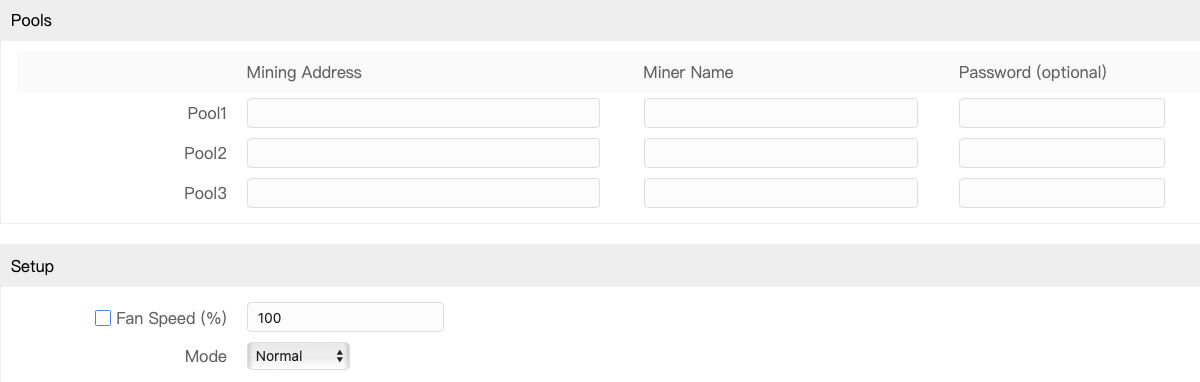 stratum+tcp://cn.btc.k1pool.com:2309
kr_subaccount.asic
x
stratum+tcp://cn.btc.k1pool.com:2309
kr_subaccount.asic
x
stratum+tcp://cn.btc.k1pool.com:2309
kr_subaccount.asic
x
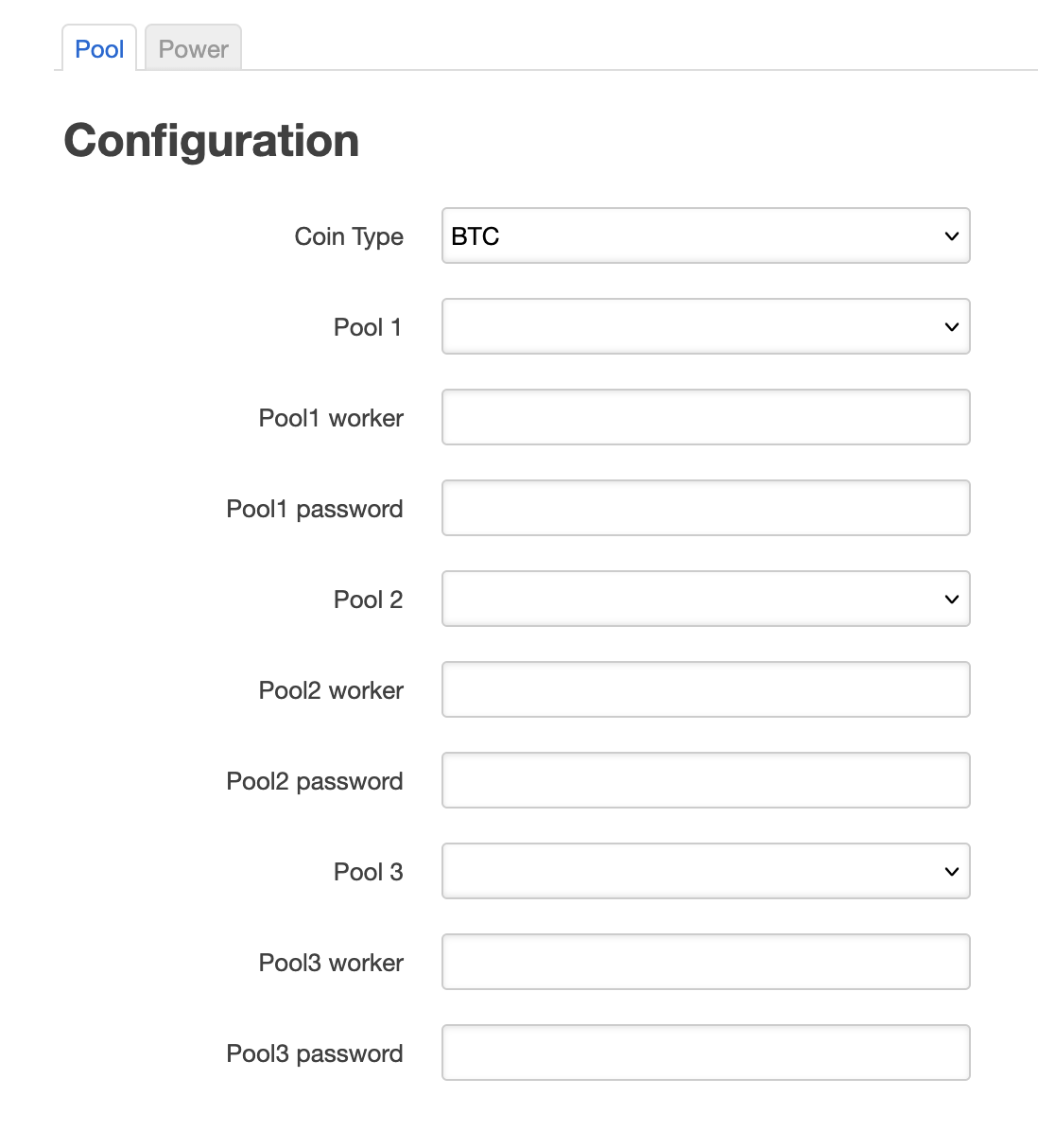 stratum+tcp://cn.btc.k1pool.com:2309
kr_subaccount.asic
x
stratum+tcp://cn.btc.k1pool.com:2309
kr_subaccount.asic
x
stratum+tcp://cn.btc.k1pool.com:2309
kr_subaccount.asic
x
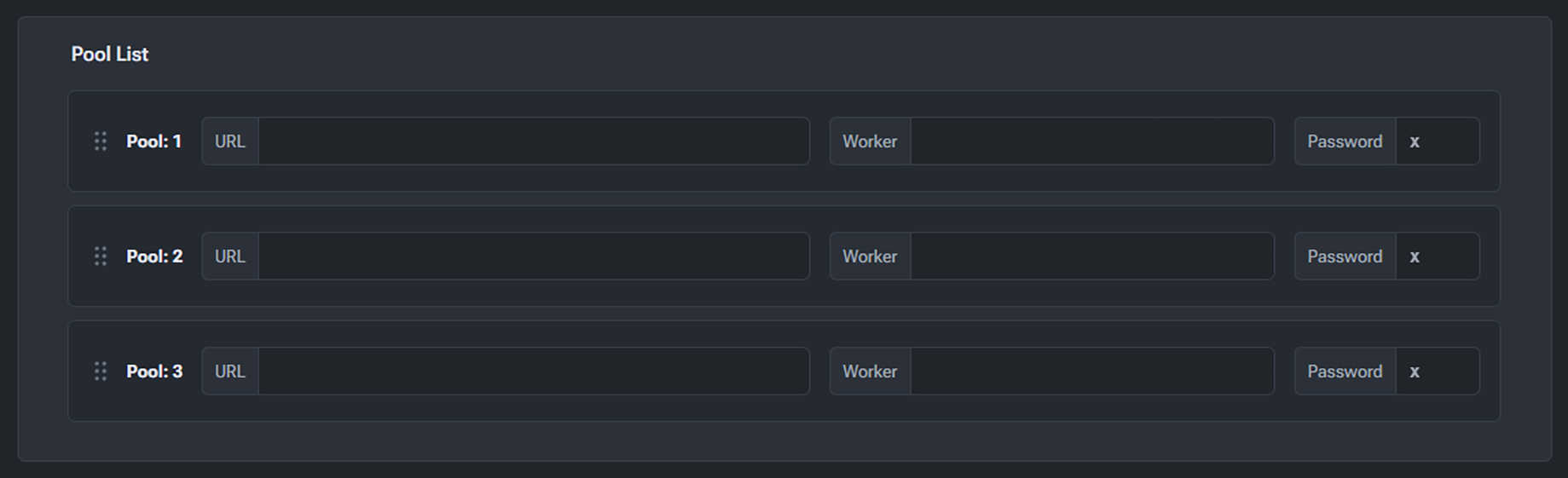 stratum+tcp://cn.btc.k1pool.com:2309
kr_subaccount.asic
stratum+tcp://cn.btc.k1pool.com:2309
kr_subaccount.asic
stratum+tcp://cn.btc.k1pool.com:2309
kr_subaccount.asic
Step 2 - Check the mining status
Structured mining data is available on the 总览 page, where activity across all coins is displayed.
Step 3 - Getting Started with Cryptocurrency Payouts (BTC)
To start receiving payouts from the pool, create a BTC wallet on one of the cryptocurrency exchanges:
After creating a BTC wallet, add it on the Wallets page on our website. Don’t forget to set the minimum payout threshold. The pool fee field can be left empty. By default, the pool fee is 1%. Please confirm your wallet address via email. On the statistics page 我的 , you can view your confirmed balance and the progress bar towards the payout threshold. Once the progress bar reaches 100%, the payout will be made according to the payout interval. BTC payouts are processed once every 24 hours.
Additional options:
You can also create a BTC wallet on the official Bitcoin website and set it up directly on your operating system.
Step 4 - Still have questions? We’ll help you find the answer!
Step 5 - Setup Payout Wallet (BTC)
After that enter your BTC address (wallet) on Wallets page for payouts.
Hash Power Rental Services
Our pool works with Hash Power rental service Miningrigrentals.com.
Settings for Miningrigrentals.com:
Name: K1Pool BTC
Type: SHA256 Asicboost
Pool Host: eu.btc.k1pool.com:2309
Workername (-u): kr_subaccount
Password (-p): x