




 English
 русский
 中文
 español
 português

挖矿教程 Neural Engine Byte
矿池地址
stratum+tcp://eu.neb.k1pool.com:3370
Kr_WALLET.rig1
x
分步设置
 HiveOS
Suprminer
Linux
Windows
INVminer
Linux
Windows
WildRig-NG
Linux
./wildrig-ng --algo nebhash --url stratum+tcp://eu.neb.k1pool.com:3370 --user Kr_WALLET --worker RIG_NAME --pass xWindows
HiveOS - Suprminer (NVIDIA)
在 Flight Sheet 中选择 Custom 矿工,然后点击 Setup Miner Config:矿工名称填 suprminer-neptune,Hash algorithm 填 neb,安装地址填:
https://github.com/ocminer/suprminer/releases/download/v1.9.50/suprminer-neptune-1.9.50_u2204.tar.gz{
"name": "NEB Suprminer K1",
"isFavorite": false,
"items": [
{
"coin": "NEB",
"pool_ssl": false,
"dpool_ssl": false,
"miner": "custom",
"miner_alt": "suprminer-neptune",
"miner_config": {
"url": "stratum+tcp://eu.neb.k1pool.com:3370",
"pass": "x",
"miner": "suprminer-neptune",
"template": "%WAL%.%WORKER_NAME%",
"install_url": "https://github.com/ocminer/suprminer/releases/download/v1.9.50/suprminer-neptune-1.9.50_u2204.tar.gz",
"user_config": "",
"algo": "neb"
},
"pool_geo": []
}
]
}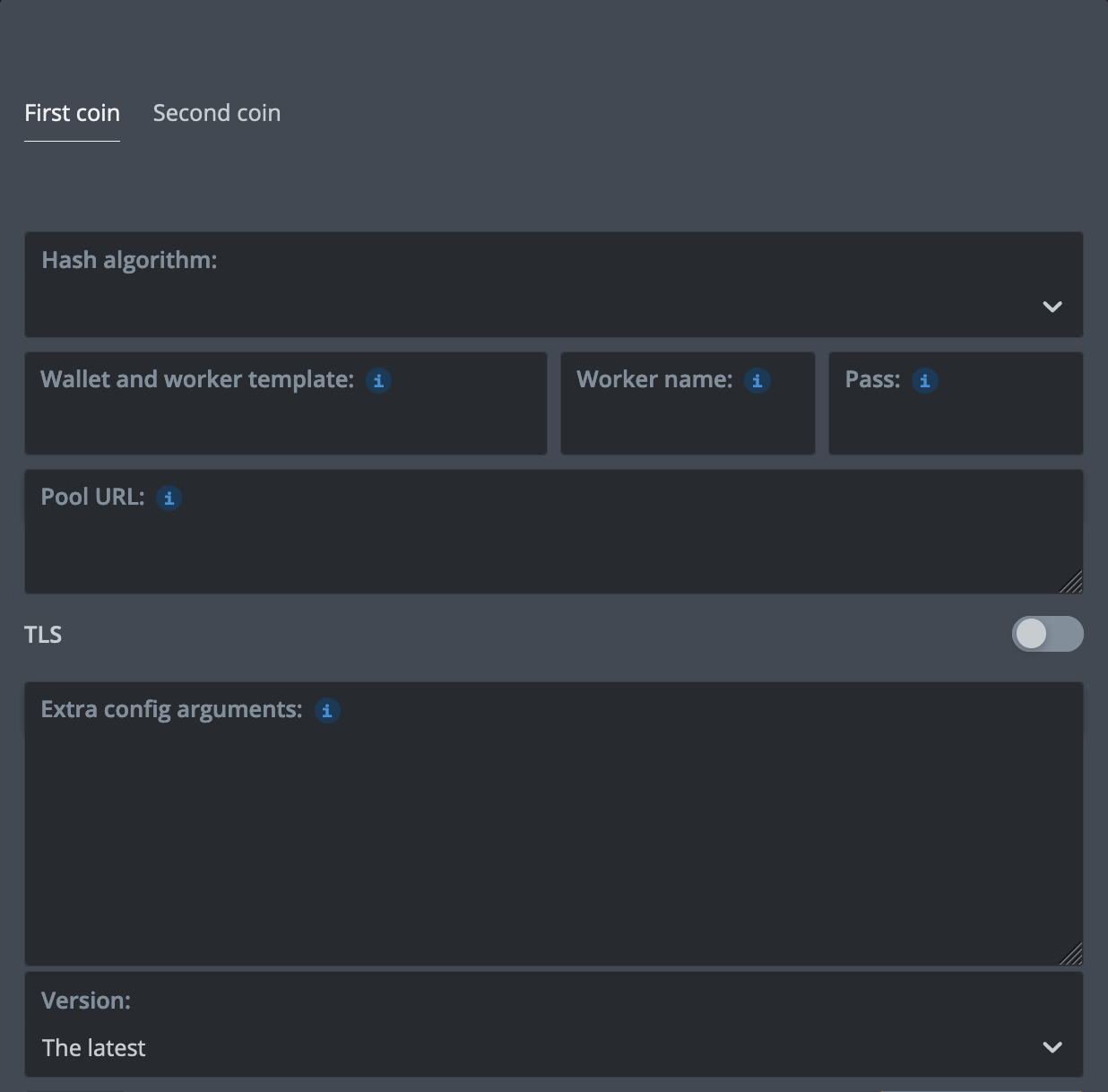
%WAL% - K1Pool wallet Kr_WALLETPass - x%URL_HOST%, %URL_PORT% - select K1Pool server in the Flight SheetHiveOS - Suprminer (AMD)
在 Flight Sheet 中选择 Custom 矿工,然后点击 Setup Miner Config:矿工名称填 suprminer-neptune,Hash algorithm 填 neb,安装地址填:
https://github.com/ocminer/suprminer/releases/download/v1.9.50/suprminer-neptune-1.9.50_opencl_u2204.tar.gz{
"name": "NEB Suprminer AMD K1",
"isFavorite": false,
"items": [
{
"coin": "NEB",
"pool_ssl": false,
"dpool_ssl": false,
"miner": "custom",
"miner_alt": "suprminer-neptune",
"miner_config": {
"url": "stratum+tcp://eu.neb.k1pool.com:3370",
"pass": "x",
"miner": "suprminer-neptune",
"template": "%WAL%.%WORKER_NAME%",
"install_url": "https://github.com/ocminer/suprminer/releases/download/v1.9.50/suprminer-neptune-1.9.50_opencl_u2204.tar.gz",
"user_config": "",
"algo": "neb"
},
"pool_geo": []
}
]
}%WAL% - K1Pool wallet Kr_WALLETPass - x%URL_HOST%, %URL_PORT% - select K1Pool server in the Flight SheetHiveOS - INVminer
在 Flight Sheet 中选择 Custom 矿工,然后点击 Setup Miner Config:矿工名称填 invminer,Hash algorithm 留空,安装地址填:
{
    "name": "NEB invminer K1",
    "isFavorite": false,
    "items": [
        {
            "coin": "NEB",
            "pool_ssl": false,
            "dpool_ssl": false,
            "miner": "custom",
            "miner_alt": "invminer",
            "miner_config": {
                "url": "stratum+tcp://eu.neb.k1pool.com:3370",
                "pass": "Kr_WALLET",
                "miner": "invminer",
                "template": "%WAL%.%WORKER_NAME%",
                "install_url": "https://github.com/getrigeos/INVminer-Release/releases/download/v2.2.0.23/invminer-2.2.0.23.tar.gz",
                "user_config": "--coin neb"
            },
            "pool_geo": []
        }
    ]
}%WAL% - your NEB address (neb1...)Pass - K1Pool wallet Kr_WALLET%URL_HOST%, %URL_PORT% - select K1Pool server in the Flight SheetHiveOS - WildRig-NG
在 Flight Sheet 中选择 Custom 矿工,然后点击 Setup Miner Config:矿工名称填 wildrig-ng-custom,Hash algorithm 填 nebhash,安装地址填:
{
    "name": "NEB WildRig-NG K1",
    "isFavorite": false,
    "items": [
        {
            "coin": "NEB",
            "pool_ssl": false,
            "dpool_ssl": false,
            "miner": "custom",
            "miner_alt": "wildrig-ng-custom",
            "miner_config": {
                "url": "stratum+tcp://eu.neb.k1pool.com:3370",
                "pass": "x",
                "miner": "wildrig-ng-custom",
                "template": "%WAL%.%WORKER_NAME%",
                "install_url": "https://github.com/andru-kun/wildrig-ng/releases/download/1.0.1/wildrig-ng-custom-1.0.1.tar.gz",
                "user_config": "",
                "algo": "nebhash"
            },
            "pool_geo": []
        }
    ]
}%WAL% - K1Pool wallet Kr_WALLETPass - x%URL_HOST%, %URL_PORT% - select K1Pool server in the Flight Sheet第 1 步 - 注册
第 2 步 - 下载挖矿软件
Neural Engine Byte 使用显卡挖矿。每一次尝试都是一个小型神经网络的一步训练,因此矿工需要网络的数据集文件 neb-datasets.bin(16 MB):Suprminer 会在首次启动时自动下载并校验。
从 GitHub 发布页 下载 Suprminer 1.9.50(无矿工手续费)。支持 NVIDIA GTX 16 系列及更新的显卡(CUDA;驱动 580 或更新)和 AMD 显卡(OpenCL):请选择与您的显卡和系统对应的安装包,AMD 的安装包名称中带有 _opencl。
- Linux 和 Windows:发布页上的压缩包。请将整个压缩包解压到一个可写入的文件夹,然后运行上面的命令;可执行文件为
suprminer-neptune,算法为-a neb。 - HiveOS:安装地址见上方 HiveOS 选项卡(Ubuntu 22.04 镜像;20.04 镜像请使用同一版本的
_u2004安装包)。 - 添加
-d 0,1可选择显卡。加密连接请使用stratum+ssl://,地址和端口不变。
或从 GitHub 发布页 下载 INVminer 2.2.0.23(NEB 无矿工手续费),支持 NVIDIA:
- Linux,CUDA 12(驱动 12.0+,RTX 50 系列需 R570+):invminer-v2.2.0.23-linux-x86_64-cuda12.tar.gz
- Linux,CUDA 13(驱动 R580+):invminer-v2.2.0.23-linux-x86_64-cuda13.tar.gz
- Windows x64:invminer-v2.2.0.23-windows-x86_64.zip。请在命令提示符或 PowerShell 中运行上面的命令:压缩包中的
start-neb.bat连接的是其他矿池的服务器。 - HiveOS:安装地址见上方 HiveOS 选项卡。
INVminer 的用户名只接受 NEB 地址,因此 K1Pool 账户填在密码中(-p)。请将 NEB_ADDRESS 替换为您的 NEB 地址(neb1...),即 K1Pool 个人资料中设置的 NEB 收款地址。份额和支付都记入您的 K1Pool 账户,地址仅用于启动矿工。添加 --cpu-mode low 可降低 CPU 占用。
或从 GitHub 发布页 下载 WildRig-NG 1.0.1(测试版,NEB 开发者费用 2%)。在 NEB 上支持 NVIDIA RTX 30 系列(Ampere)及更新的显卡和 AMD RX 5000 系列(RDNA 1)及更新的显卡:
- Linux:wildrig-ng-linux-1.0.1.tar.gz
- Windows x64:wildrig-ng-windows-1.0.1.zip
- HiveOS:安装地址见上方 HiveOS 选项卡(自定义矿工
wildrig-ng-custom)。
请将 Kr_WALLET 替换为第 1 步获得的账户地址。RIG_NAME 可以修改:最多 32 个拉丁字母、数字、“_”或“-”。
挖矿时请勿在同一张显卡上运行其他程序:矿工会把运算表放在空闲的显存中。不同区块的算力相差约十倍:偶数区块在 Kepler 数据集上训练,奇数区块在 TESS 数据集上训练,矿池会分别为两者设置份额难度。