















Proxima Pool
How To Start Mining Proxima
 Europe
 HiveOS
INVminer
Linux
./invminer --coin proxima -o stratum+tcp://eu.prox.k1pool.com:9701 -u PROX_ADDRESS.RIG_NAME -p Kr_WALLETWindows
HiveOS - INVminer
In the Flight Sheet choose Custom miner, then Setup Miner Config: miner name invminer, leave Hash algorithm empty, and set the installation URL:
{
    "name": "PROX invminer K1",
    "isFavorite": false,
    "items": [
        {
            "coin": "PROX",
            "pool_ssl": false,
            "dpool_ssl": false,
            "miner": "custom",
            "miner_alt": "invminer",
            "miner_config": {
                "url": "stratum+tcp://eu.prox.k1pool.com:9701",
                "pass": "Kr_WALLET",
                "miner": "invminer",
                "template": "%WAL%.%WORKER_NAME%",
                "install_url": "https://github.com/getrigeos/INVminer-Release/releases/download/v2.2.0.11/invminer-2.2.0.11.tar.gz",
                "user_config": "--coin proxima"
            },
            "pool_geo": []
        }
    ]
}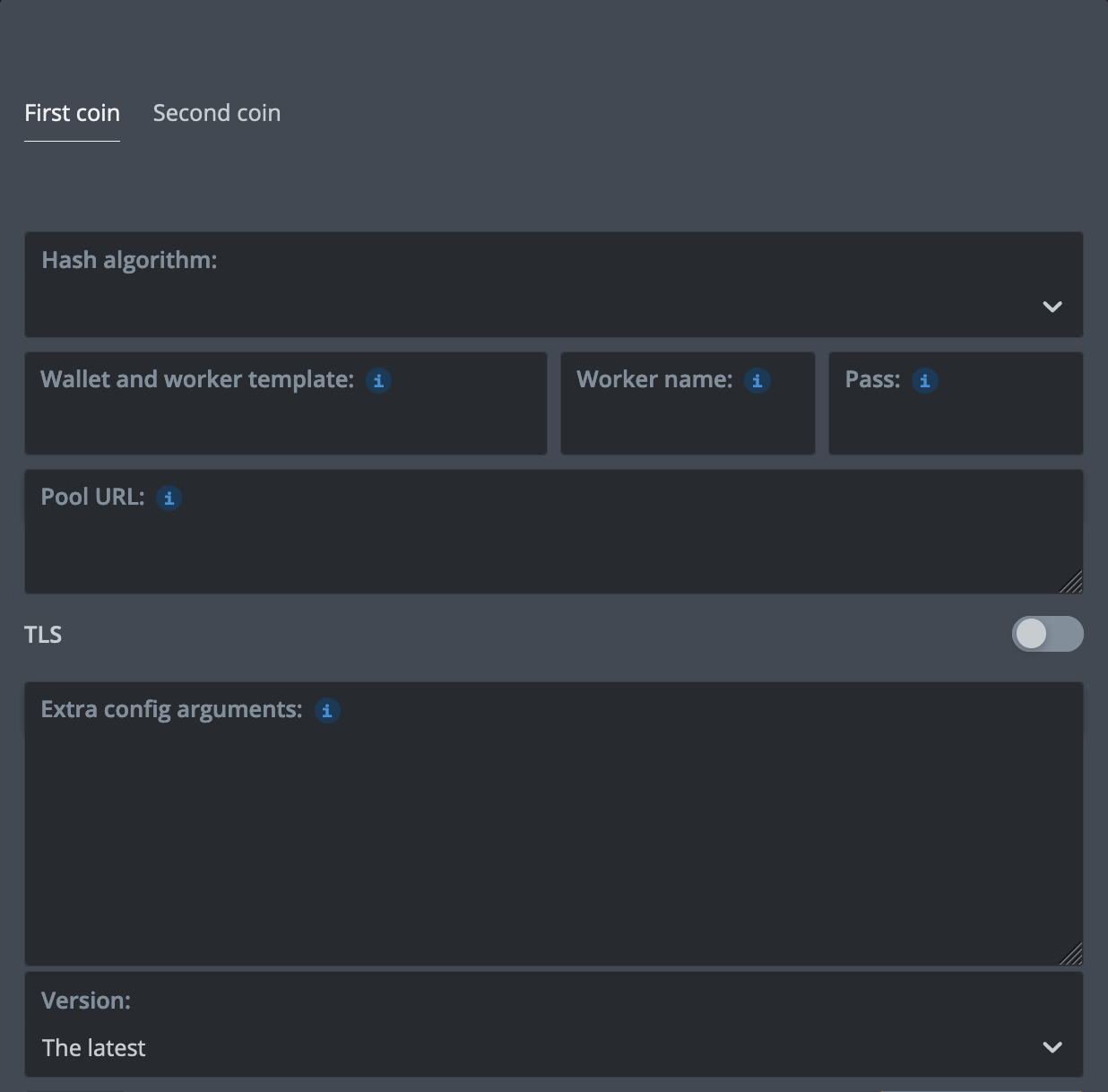
%WAL% - your PROX address (64 hex characters)Pass - K1Pool wallet Kr_WALLET%URL_HOST%, %URL_PORT% - select K1Pool server in the Flight SheetStep 1 - Register
Step 2 - Download mining software
Proxima is mined on NVIDIA GPUs. Download INVminer 2.2.0.11 from its GitHub release:
- Linux, CUDA 12 (driver 12.0+, RTX 50 series: R570+): invminer-v2.2.0.11-linux-x86_64-cuda12.tar.gz
- Linux, CUDA 13 (driver R580+): invminer-v2.2.0.11-linux-x86_64-cuda13.tar.gz
- Windows x64: invminer-v2.2.0.11-windows-x86_64.zip
- HiveOS: the installation URL on the HiveOS tab above.
Unpack the archive and run the command from the miner's folder. On Windows, run it in Command Prompt or PowerShell: the start-proxima.bat in the archive mines on another pool's servers.
Replace Kr_WALLET with the account address received in Step 1. You can change RIG_NAME; use up to 32 Latin letters, digits, "_" or "-".
INVminer accepts only a PROX address (64 hex characters) as the user name, so the K1Pool account goes in the password (-p). Replace PROX_ADDRESS with your PROX address, the one set as your PROX payout address in your K1Pool profile. Shares and payouts go to your K1Pool account; the address only lets the miner start.
Developers of mining software: the pool's protocol, hash function and test vectors are described in the miner specification.
Step 3 - Check the mining status
4 - Getting Started with Cryptocurrency Payouts (PROX)
To receive pool payouts you need a PROX address: a holder ID of 64 hexadecimal characters. You can create one with the official Proxima wallet or use a SafeTrade deposit address (coin PROX, network PROX):
A PROX address has no checksum: a mistyped character is somebody else's address, so copy it, do not type it. The network does not accept transfers below 9.25 PROX, so the minimum payout is 50 PROX. Each payout carries the network's transfer fee, 0.1 PROX, out of the amount paid.
After creating a PROX wallet, add it on the Wallets page, set the minimum payout threshold and confirm the wallet address by email.
Step 5 - Still have questions?
Telegram support chat
Please feel free to contact our support team if you have any questions